Spammy Links, How to Identify, Fix, and Protect Your SEO
Spammy links can quietly damage your website if you ignore them for long. Many site owners discover these backlinks only after rankings start dropping or traffic declines. These links usually come from low quality sites, link farms, or irrelevant domains.
A healthy backlink profile includes a mix of links, but patterns matter most. When links look unnatural or manipulative, search engines may ignore them or take action. Understanding how spammy links work helps you protect rankings and maintain long term SEO stability.
What Are Spammy Links
Spammy links are backlinks from low quality, irrelevant, or manipulative sources. These links often exist only to influence search rankings without providing value.
Common characteristics include:
- Links from unrelated websites with no topical connection
- Links placed on pages with thin or duplicate content
- Links coming from sites with excessive outbound links
- Links built using automated tools or link schemes
Search engines treat these links as signals of unnatural link building. Some are ignored, while others may trigger manual review if patterns look suspicious.
Spammy Links vs Toxic Backlinks
Many people use both terms in the same way, but there is a slight difference. Spammy links describe low quality or suspicious backlinks. Toxic backlinks refer to links that may harm rankings based on risk signals.
Key differences to understand:
- Spam links are a broad category covering weak or manipulative links
- Toxic backlinks are flagged by tools using metrics and risk scores
- Not every spam link is harmful, many are simply ignored
- Toxic labels depend on tools like Ahrefs or SEMrush scoring systems
Search engines like Google Search Console do not use the word toxic. They focus on unnatural linking patterns and guideline violations.
It is important to review links manually instead of relying only on tool scores. Context, relevance, and placement matter more than any single metric.
Why Spammy Links Appear in Your Backlink Profile
Spammy backlinks often appear even when you never built them yourself. Your backlink profile can grow naturally over time, but not every link will be useful.
Poor Link Building Practices
Low quality SEO services often create links quickly without proper review. These links usually come from directories, PBN networks, or automated systems.
Common patterns include:
- Bulk links from unrelated blogs or websites
- Paid placements on link farms
- Exact match anchor text repeated across many pages
Negative SEO Attacks
Competitors may try to harm your rankings by pointing bad links at your site. These links often look unnatural and appear in large numbers.
Typical signals include:
- Foreign language anchors unrelated to your content
- Links from suspicious or malicious domains
- Sudden spikes in referring domains
Search engines usually detect and ignore such attacks, but monitoring is still important.
Old Website History or Previous Owners
If you bought an existing domain, it may already have harmful backlinks. These links remain part of your backlink profile unless cleaned.
You may notice:
- Links from outdated directories or spam networks
- Old PBN links created by previous owners
- Irrelevant links from unrelated niches
Hacked Websites and Malware Links
Sometimes spam links appear due to security issues on your website. Hackers can inject hidden links or create spam pages.
Watch for:
- Unknown pages created without your knowledge
- Outbound links to suspicious websites
- Signs of malware or injected code
Regular audits and updates help prevent such issues and protect your site.
Types of Spammy Links You Must Know
Understanding link types helps you detect patterns faster during audits. Each type has its own risk level and behavior.
PBN Links
Private blog networks are groups of sites built only for linking. These networks try to pass authority without real content value.
Common signals include:
- Similar website designs across multiple domains
- Reused content or spun articles
- Links placed only to boost rankings
Link Farms
Link farms exist only to sell or exchange backlinks. These sites have little real content and many outbound links.
You may notice:
- Pages filled with unrelated links
- No clear niche or audience
- Paid placements without editorial control
Low Quality Directory Links
Directories can be useful when relevant, but many are created only for link building.
Spam directories often show:
- No moderation or quality checks
- Thousands of listed websites without context
- No real traffic or engagement
Forum and Profile Spam Links
These links are created by making accounts and dropping links in profiles or threads.
Typical patterns include:
- Repeated links across many forums
- Generic usernames and low activity accounts
- Links placed without real discussion value
Comment Spam Links
Comment sections are often targeted using automated tools. These tools generate large volumes of links quickly.
Common signs:
- Irrelevant comments with embedded links
- Repetitive anchor text usage
- Links placed across unrelated blog posts
Press Release Spam Links
Press releases can be useful, but abuse leads to spam signals. This happens when the same content is distributed widely with keyword anchors.
Look for:
- Identical articles across multiple domains
- Exact match anchors repeated in every release
- No real news or value behind the content
Template and Footer Links
These links appear across many pages at once. They are often embedded in themes, plugins, or widgets.
You may find:
- Sitewide links in footers or sidebars
- Links pointing to unrelated businesses
- Hidden links inside templates
Scraper Spam Links
Scraper sites copy content automatically and publish it on new domains. They often include links back to the original or other sites.
Signals include:
- Duplicate content across multiple domains
- Low quality pages with no structure
- Links placed without context
Signs of Spammy Links in Your Backlink Profile
You do not need complex tools to spot bad backlinks. Clear patterns usually appear when links are low quality or manipulative.
Look for these signals during a backlink audit:
- Links from websites with poor design and thin content
- Domains that have no relevance to your niche or topic
- Anchor text that looks forced or overly optimized
- Repeated exact match keywords across many backlinks
- Foreign language anchors unrelated to your content
- Websites with almost no organic traffic
- Domains not indexed in search engines
- Pages filled with too many outbound links
Anchor text patterns are especially important. Natural links use branded or mixed anchors. Manipulated links often repeat the same keyword again and again.
Another strong signal is link placement. Contextual links inside useful content are safer. Links in footers, sidebars, or random pages often look unnatural.
When multiple signals appear together, the risk level increases. A single weak signal alone does not always mean the link is harmful.
How to Check Spammy Backlinks
Checking your backlink profile helps you understand which links need attention. You can combine tools and manual review for better accuracy.
Using Google Search Console
Google Search Console gives direct data about links pointing to your site.
Basic steps:
- Open your property and go to the links section
- Export external links and referring domains
- Review domains for relevance and quality
This data is reliable because it comes directly from Google.
Using SEO Tools
Tools like Ahrefs and SEMrush provide deeper analysis.
You can:
- Check domain rating and organic traffic
- Identify suspicious or low quality domains
- View anchor text distribution
- Use backlink audit and toxicity reports
These tools help filter large datasets quickly.
Manual Link Review
Manual checks are essential for accurate decisions.
Focus on:
- Content quality of the linking page
- Relevance to your niche
- Link placement within the content
- Overall trust signals of the website
A link should make sense for real users, not just search engines.
Understanding Toxicity Scores
SEO tools assign scores based on risk signals. These include link patterns, domain quality, and anchor usage.
Important points:
- Toxicity scores are not always accurate
- Some links may look risky but are harmless
- Always combine tool data with manual review
Relying only on automated scores can lead to wrong decisions.
Do Spammy Links Really Hurt SEO
Not every bad backlink affects your rankings. Search engines have improved their ability to handle low quality links.
Here is what usually happens:
- Many spam links are simply ignored by search algorithms
- These links do not pass value, but also do not cause harm
- Only strong patterns of manipulation raise serious concerns
Risk increases when:
- Large numbers of unnatural links appear together
- Anchor text looks heavily optimized or repeated
- Links come from known spam networks or link schemes
In such cases, search engines may review your backlink profile more closely.
The key point is simple. A few weak links are normal. A pattern of manipulative links creates problems.
Manual Actions and Ranking Penalties
A manual action happens when a human reviewer checks your site. This usually follows strong signals of unnatural link building.
You can check this inside Google Search Console under manual actions.
What a manual action means:
- Your backlinks violate search quality guidelines
- Rankings drop across affected pages or the whole domain
- Some pages may be removed from search results
Common triggers include:
- Large scale link schemes
- Paid links without proper attributes
- Repeated exact match anchor text patterns
Most websites never receive a manual penalty. Search engines often ignore weak links instead.
If you do get a manual action, follow the instructions provided. Clean your backlink profile and submit a reconsideration request.
When You Should Ignore Spammy Links
Not every bad looking backlink needs action. Many weak links are part of a natural backlink profile.
You should ignore links when:
- The link comes from a low traffic but harmless website
- The anchor text looks random, not manipulated
- There is no pattern of large scale spam linking
- The domain is irrelevant but not part of a spam network
Search engines already filter many low quality links. Taking action on every weak link can waste time and reduce useful signals.
Avoid overreacting in these cases:
- A few directory or profile links appear naturally
- Scraper sites copy your content and link back
- Random blogs link to your content without context
The focus should be on patterns, not individual links. If links do not suggest manipulation, they are usually safe to leave.
How to Remove Spammy Links
Removing harmful backlinks helps clean your profile and reduce risk. Start with direct actions before using advanced options.
Contacting Webmasters
Reaching out to site owners is the first step.
You can:
- Find contact details on the website or contact page
- Send a simple request asking for link removal
- Ask for a nofollow attribute if removal is not possible
Keep messages short and clear. Many site owners ignore requests, especially on spam sites.
Removing Links from Your Own Website
Sometimes the issue is on your side. Outbound links from your site can also create risk.
Check for:
- Hidden links added without your knowledge
- Pages created by hackers or malware
- Outdated content linking to low quality domains
Fixing these issues improves trust and prevents further problems.
How to Disavow Spammy Links Safely
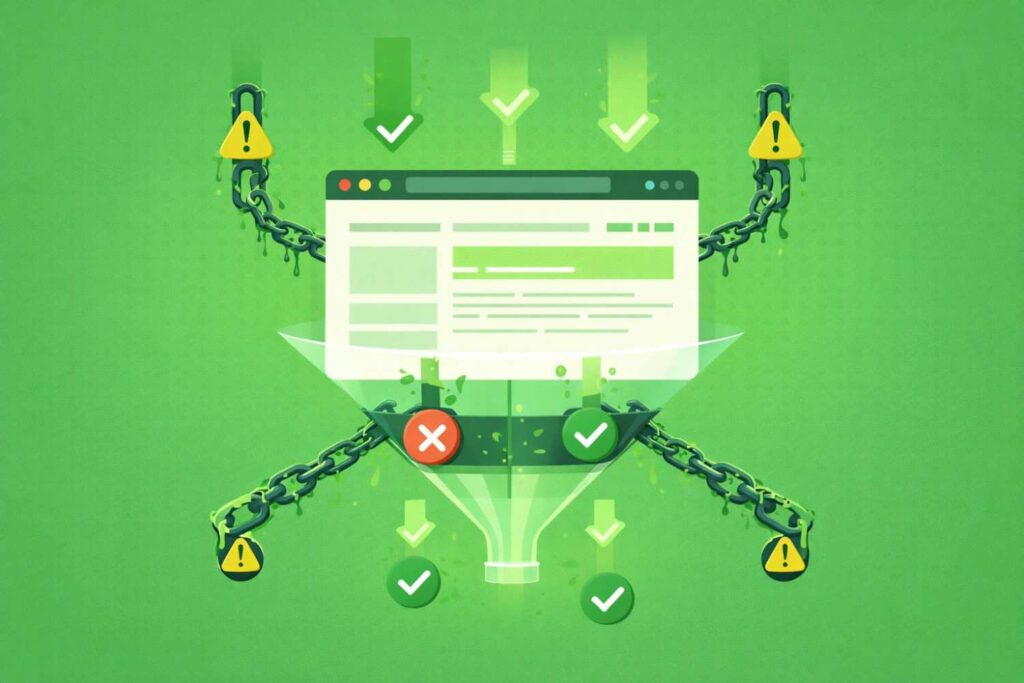
Disavowing tells search engines to ignore certain backlinks. Use this option only when there is clear risk.
When to Use Disavow
Consider this step when:
- You have a manual action related to unnatural links
- Large scale spam patterns appear in your backlink profile
- Removal requests are not successful
For general low quality links, this step is often not required.
Creating a Disavow File
Prepare a simple text file listing domains or URLs.
Basic structure:
- Use one domain per line for broad removal
- Use specific URLs if only certain pages are problematic
- Keep the file clean without extra formatting
Uploading the File
Use Google Disavow Tool through your Search Console account.
Steps include:
- Select the correct property
- Upload your disavow file
- Confirm submission
Important Cautions
Be careful when choosing links to disavow.
- Removing good backlinks can reduce rankings
- Do not rely only on tool scores
- Review links manually before adding them to the file
Disavow is a strong action. Use it only when needed.
Step by Step Backlink Audit Workflow
A structured workflow helps you review links without confusion. Follow a clear process to avoid mistakes.
Start with data collection:
- Export backlinks from Google Search Console
- Combine data with tools like Ahrefs or SEMrush
Then move to filtering:
- Group links by domain relevance and niche
- Check organic traffic and basic authority signals
- Identify unusual spikes in referring domains
Now review patterns:
- Look at anchor text distribution across all backlinks
- Identify repeated exact match anchors
- Check link placement such as footer, sidebar, or content
Create a shortlist:
- Mark links that show multiple risk signals
- Separate harmless links from suspicious ones
- Focus on patterns instead of single links
Take action:
- Decide to ignore, remove, or disavow each group
- Track decisions in a simple sheet for clarity
- Recheck your profile after updates
A consistent workflow reduces errors and saves time during audits.
Common Mistakes When Dealing with Spammy Links
Many site owners make mistakes during backlink cleanup. These mistakes can reduce rankings instead of improving them.
Avoid these common issues:
- Disavowing links without proper manual review
- Trusting tool scores without checking actual website quality
- Removing links that still provide relevance and value
- Ignoring anchor text patterns across the full backlink profile
- Focusing on single links instead of overall link patterns
Another mistake is acting too quickly after seeing a few bad links. A natural backlink profile always includes mixed quality links.
Careful review and pattern analysis lead to better decisions.
How to Avoid Spammy Links in Future
Prevention is easier than cleanup. A strong link strategy keeps your profile natural and stable.
Follow these practices:
- Build links from relevant websites within your niche
- Focus on content that earns links naturally over time
- Use balanced anchor text instead of repeating keywords
- Avoid bulk link building or automated tools
- Review new backlinks regularly for unusual patterns
Also choose services carefully:
- Avoid cheap link building packages with fast delivery promises
- Check real examples before trusting any provider
- Prefer manual outreach and editorial placements
Consistent monitoring helps you catch issues early and maintain trust.
How to Spot a Spammy Link Building Service
Choosing the wrong service can fill your profile with low quality backlinks. You need clear signals before hiring anyone.
Watch for these red flags:
- Promises of hundreds of links within a short time
- Very low pricing compared to industry standards
- Guarantees of placements on specific websites
- No transparency about outreach or link sources
Check for positive signs:
- Case studies showing real results and traffic growth
- Clear explanation of outreach process and link placement
- Focus on relevance, not just metrics
- Willingness to share sample links before starting
A reliable service focuses on quality, not volume. Always review links yourself instead of trusting reports blindly.
Advanced Signals to Identify Spammy Links
Basic checks are not always enough. Deeper signals help you identify hidden risks in your backlink profile.
Look at link velocity:
- Sudden spikes in backlinks over a short period
- Unusual growth without content or promotion activity
Check sitewide links:
- Links appearing in footers or sidebars across many pages
- Repeated links from the same domain at scale
Review expired domains:
- Domains reused only for linking purposes
- Old sites repurposed with unrelated content
Analyze link neighborhoods:
- Sites linking to many unrelated industries
- Networks of domains connected through similar patterns
Check outbound link behavior:
- Pages linking to dozens of external sites
- Lack of editorial control or content quality
These signals help you go beyond surface level metrics and understand real link intent.
Spammy Links vs Natural Low Quality Links
Not every weak backlink is harmful. A natural backlink profile always includes mixed quality links.
Understand the difference:
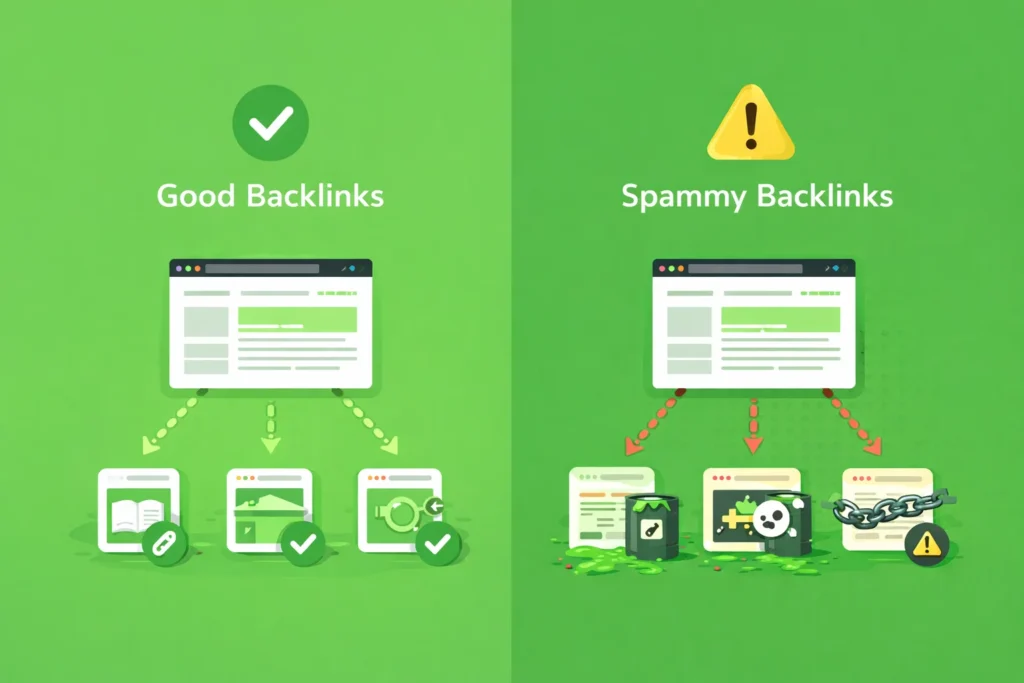
- Natural low quality links come without manipulation intent
- Spammy links show patterns of artificial link building
- Weak links may have no value, but still remain safe
Examples of natural links:
- Small blogs linking without strong authority
- New websites referencing your content
- Mentions from unrelated but genuine pages
Examples of risky links:
- Repeated exact match anchor text across many domains
- Links from networks built only for SEO purposes
- Pages with no real content or user value
Focus on intent and patterns, not just metrics. This helps you avoid removing useful signals by mistake.
Negative SEO and How to Handle It
Negative SEO happens when someone tries to harm your rankings using bad backlinks. These attacks often rely on volume and unnatural patterns.
Common signs include:
- Sudden increase in spammy backlinks from unrelated domains
- Anchor text filled with irrelevant or foreign keywords
- Links from hacked, adult, or malicious websites
Search engines usually detect and ignore these attacks automatically. Still, monitoring your backlink profile is important.
Steps to handle negative SEO:
- Track new backlinks regularly using Google Search Console
- Identify patterns instead of reacting to single links
- Remove links when possible through outreach
- Use disavow only if patterns suggest real risk
Stay calm during such situations. Most attacks fail because search engines understand unnatural linking behavior.
Tools for Spammy Link Detection
Using the right tools makes backlink analysis faster and more accurate. Combine multiple sources to avoid missing important signals.
Start with Google Search Console for direct backlink data. This shows which domains link to your site.
Use additional tools for deeper insights:
- Ahrefs for domain rating, anchor text, and link growth patterns
- SEMrush for backlink audit and toxicity scoring
- Moz for domain authority and spam score signals
These tools help you:
- Identify low quality domains quickly
- Analyze anchor text distribution
- Detect unusual link patterns
- Filter large backlink datasets
No single tool gives perfect results. Combine tool data with manual checks for better decisions.
Final Thoughts on Managing Spammy Links
Spammy links are part of every website’s backlink profile, but patterns matter more than individual links. A few weak backlinks will not damage your rankings.
Focus on:
- Building links from relevant and trusted websites
- Monitoring your backlink profile regularly
- Taking action only when clear risk appears
Use removal and disavow carefully. Overuse can harm your SEO more than help it. A clean and natural backlink profile supports stable rankings and long term growth.